eBay now has over 1.7 billion active listings — and without promotion, yours is competing for the same organic search real estate as millions of other sellers. The platform is crowded, and relying on organic visibility alone is increasingly risky for resellers.
The problem is that most resellers turn on Promoted Listings without a strategy. They accept eBay’s default 12–15% ad rates and end up making less profit per sale despite selling more items. Spending more to earn less isn’t a growth strategy.
This guide walks you through exactly how to use eBay Promoted Listings, choose the right campaign type, set an ad rate that protects your margins, and decide whether promotion is worth it for each item in your store.
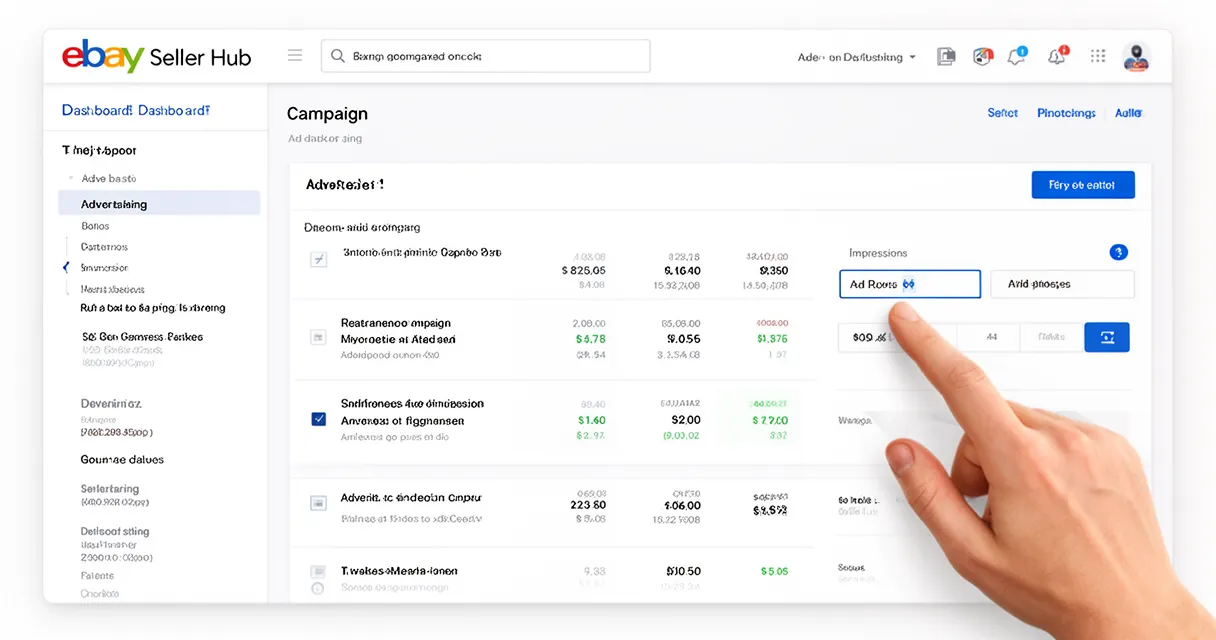
Quick answer: To use eBay Promoted Listings, go to Seller Hub > Advertising > Create Campaign. Choose Standard (cost-per-sale) for most items or Priority (cost-per-click) for competitive fixed-price listings where top placement matters. Start your ad rate at 2% and adjust weekly based on views and sales data.
What Are eBay Promoted Listings?
eBay Promoted Listings is a paid advertising program that boosts your listing’s visibility in eBay search results, browse pages, and item pages. You’re essentially paying to appear in front of buyers who are actively searching for products like yours.
There are two campaign types: Standard (also called General) and Priority (also called Advanced). Standard operates on a cost-per-sale model — you only pay when your item sells within 30 days of a click. Priority operates on a cost-per-click model, with keyword targeting and exclusive access to the top ad slot in search results since January 2026.
The scale of adoption tells the story. eBay Promoted Listings generated approximately $418 million in ad revenue in Q1 2025 alone, up 14% year-over-year and representing around 2.4% of eBay’s total GMV (ZIK Analytics eBay Statistics 2026). That’s not a niche tool — it’s the new table stakes for visibility.
Standard vs Priority Promoted Listings: Which Should You Use?
Choosing between Standard and Priority comes down to your listing type, margin, and how hands-on you want to be.
Standard Promoted Listings work on both fixed-price and auction listings. You set an ad rate (a percentage of the sale price), and you only pay that fee when your item sells. Lower management overhead, lower financial risk. It’s the right default for most individual resellers.
Priority Promoted Listings use cost-per-click bidding with keyword targeting, similar to Google Ads for eBay. They’re fixed-price listings only, require active management of bids and budgets, and give you access to eBay’s top search ad slot — a position Standard campaigns can no longer reach as of 2026.
Use Standard when you:
- Are new to Promoted Listings and want low-risk testing
- Sell auction-style listings
- Have high-margin items you want passive visibility on
- Don’t want to check performance data more than once a week
Use Priority when you:
- Sell in highly competitive fixed-price categories
- Want guaranteed top-slot placement in search results
- Are comfortable managing CPC bids and daily budgets
- Are running a time-sensitive inventory push
The January 2026 Change: Priority Gets Exclusive Top Slot Access
Since January 2026, only Priority (Advanced) campaigns can appear in the top ad slot in eBay search results. Standard campaigns no longer have access to this premium position.
For sellers in competitive categories — electronics, sneakers, trading cards, branded apparel — this is a significant change. If buyers in your category click the top result most often, a Standard campaign may deliver meaningfully less traffic than it did in 2025. In those categories, Priority becomes worth considering even if it requires more active management.
For lower-competition niches where buyers scroll through results, Standard still performs well and costs less to manage.
How to Set Up an eBay Promoted Listings Campaign (Step by Step)
Setting up your first campaign takes about 10 minutes in Seller Hub. Here’s the exact process:
- Go to Seller Hub and click the Advertising tab in the top navigation
- Click “Create new campaign” and select “Promote your listings”
- Choose your campaign type: Standard or Priority
- Select your listings individually or use bulk selection to add multiple items at once
- Set your ad rate (Standard) or configure daily budget and keyword bids (Priority)
- Review your settings and click Launch — campaigns typically go live within 24 hours
Setting Up a Standard Campaign
When setting your ad rate, do not accept eBay’s suggested rate. The platform’s suggested rates can reach 15% or higher in competitive categories. That’s not a recommendation — it’s eBay’s interest, not yours.
Start every listing at 2%. This is low enough to test without sacrificing margin and high enough to give the algorithm something to work with. After 7 days, check the Advertising dashboard. If impressions are flat, increase by 1–2 percentage points and repeat.
The Advertising dashboard (under Seller Hub > Advertising > Reports) shows impressions, clicks, and sales attributed to each campaign. Monitor this weekly, not daily — daily fluctuations are noise.
Setting Up a Priority Campaign
Priority campaigns require more setup: keyword targeting, daily budget caps, and per-keyword CPC bids. Think of it like a mini Google Ads account.
When testing Priority for the first time, start with a $3–5/day daily budget and a modest CPC bid. Let it run for 7–10 days before evaluating. Use eBay’s suggested keywords as a starting point, then add specific model numbers, brand names, and condition-based terms relevant to your items.
Check your Priority campaigns weekly. Pause keywords that are generating clicks but no sales after 14 days. The cost-per-click adds up fast if you’re not monitoring it.
How to Set the Right eBay Promoted Listings Ad Rate
The eBay Promoted Listings ad rate is one of the most consequential decisions you’ll make as a reseller. Get it wrong and you’ll sell more while earning less.
Key rules:
- eBay’s suggested ad rates range from 2% to 20%+ — treat these as a ceiling, not a target
- The ad fee is charged on the total sale amount including item price, shipping, and applicable taxes
- Start at 2%; increase by 1–2 percentage points every 7 days if views aren’t improving
- Never promote items with gross margins below 30% unless you have a specific testing reason
Break-Even Ad Rate: A Worked Example
Here’s the math every reseller should do before enabling promotion on any listing:
| Item details | Amount |
|---|---|
| Sale price | $50.00 |
| Cost of goods (COGS) | $20.00 |
| eBay final value fee (~13%) | $6.50 |
| Shipping cost | $5.00 |
| Net margin before ads | $18.50 (37%) |
Your break-even ad rate is approximately: gross margin % minus total eBay fee % = 37% - 13% = 24% theoretical ceiling.
But a 24% ad rate would wipe out almost all your profit margin. A realistic working ad rate on this item is 3–5%, leaving $17–18 in profit per sale after promotion fees.
Run this calculation for any listing before you enable promotion. Items with less than 30% gross margin shouldn’t be promoted at all — the math doesn’t give you enough room to absorb the ad fee and still profit meaningfully.
Key takeaway: Your break-even ad rate = gross margin % minus eBay fee %. Your working ad rate should be well below that ceiling — typically 2–5% for most resellers.
Understanding the 2026 Attribution Model Change
The 2026 attribution model change is the most important eBay Promoted Listings update that most resellers aren’t paying attention to.
Here’s how it changed:
- Pre-2026: Ad fee charged only when the specific buyer who clicked your promoted listing made a purchase
- From 2026: Ad fee charged if any buyer purchases within 30 days of any click on your promoted listing
In practice, this means you can be charged a promotion fee on a sale that would have happened organically — a buyer who found your listing through organic search, but happened to click a promoted version at some point in the previous 30 days, can trigger the fee.
This change increases the risk of paying for sales you didn’t actually “win” through promotion. As eBay Promoted Listings ad revenue is forecast to grow 12–15% annually with average suggested rates rising across categories (ListingForge eBay Promoted Listings 2026), the financial exposure from attribution overlap will only increase.
The fix: monitor your impression-to-sale ratio in the Advertising dashboard. If your ad spend is rising but organic-equivalent sales would have covered most of those transactions anyway, lower your ad rate or pause promotion on your top organic performers.
Are eBay Promoted Listings Worth It?
For most resellers, yes — with conditions.
Average sellers see a ~25% sales uplift from Promoted Listings (Underpriced.app eBay Promoted Listings ROI Guide 2026). But volume uplift is not the same as profit uplift. A 25% increase in sales means nothing if your ad rate erased the margin on each sale.
Promoted Listings are worth it when:
- Items have strong gross margins (30%+)
- Listings have been active for 30+ days with weak organic traction
- Your ad rate is set at 2–5%
- You’re moving slow-moving inventory that’s tying up capital
Promoted Listings are NOT worth it when:
- Margins are thin (under 30%)
- Items already rank well and sell regularly without promotion
- You’re accepting eBay’s maximum suggested ad rates without calculating break-even
- You’re promoting fast-moving items that would sell without paid visibility
Strategic resellers report consistently converting 90-day-old dead stock into sales within a week using 2–4% ad rates on targeted slow-moving inventory (Underpriced.app eBay Promoted Listings ROI Guide 2026). That’s the real power of eBay Promoted Listings — not boosting everything, but systematically rescuing stagnating inventory with strong margin profiles.
5 Tips to Maximize Your Promoted Listings ROI
1. Optimize before you promote
A promoted listing that’s poorly optimized will burn budget on impressions without converting. Before enabling promotion, make sure you have competitive pricing, accurate item specifics, and clear photos. Optimizing your eBay item specifics is the highest-leverage free action you can take before spending a dollar on ads.
2. Start with slow-moving, high-margin inventory
Promoting your best sellers wastes budget on sales that were going to happen anyway. Target listings that have been active for 30+ days with low views and no recent sales, and that have gross margins above 30%. This is where promotion creates real incremental revenue.
3. Review your Advertising dashboard every 7 days
Don’t set campaigns and forget them. Check performance weekly. Pause any listing with high impressions but zero sales after 14 days — those are burning budget without converting.
4. Use AI tools and listing analytics to surface dead stock automatically
This is where AI can meaningfully improve your eBay Promoted Listings strategy. AI-powered inventory tools can scan your store, flag listings that have gone stagnant, calculate break-even ad rates per SKU based on your actual costs, and even predict which items are most likely to respond to promotion.
Tools like ChatGPT can help you draft eBay listing copy and identify keyword gaps in your titles. More specialized AI-powered platforms integrate directly with Seller Hub to model ad ROI before you spend anything. Check out the best apps for resellers to find tools that automate this process — turning Promoted Listings from guesswork into a systematic, data-driven workflow.
5. Default to Standard; test Priority only where it matters
Don’t over-engineer your campaigns. Standard campaigns cover 90% of use cases for individual resellers. Only test Priority in your most competitive categories where the top ad slot drives a meaningful click difference — and always cap your daily budget when testing.
Frequently Asked Questions
Are eBay Promoted Listings worth it for individual resellers?
Yes, when used strategically on high-margin, slow-moving items at low ad rates (2–5%). They’re not worth it if you blindly accept eBay’s suggested rates on thin-margin items — you may sell more volume but profit less per sale. Calculate your break-even rate before enabling promotion on any listing.
What is the best ad rate to set for eBay Promoted Listings?
Start at 2% for every listing. Increase by 1–2 percentage points per week if views don’t improve after 7 days. Never exceed your break-even rate: gross margin percentage minus total eBay fee percentage. For most resellers, 2–5% is the profitable sweet spot.
What is the difference between eBay Standard and Priority Promoted Listings?
Standard uses a cost-per-sale model — you pay only when your item sells. Priority uses cost-per-click. Since January 2026, only Priority campaigns can appear in eBay’s top search ad slot. Standard works on auction and fixed-price listings; Priority is restricted to fixed-price listings only.
How do eBay Promoted Listings affect organic search ranking?
They don’t directly. Promoted Listings are separate from eBay’s organic Cassini search algorithm. However, increased sales velocity from a successful promotion can indirectly improve organic visibility over time, since eBay’s algorithm favors listings with strong sales history.
Can you use eBay Promoted Listings on auction-style listings?
Yes, but only with Standard (General) campaigns. Priority (Advanced) campaigns require fixed-price listings. Promoting auction listings at a low ad rate can drive more bidders and potentially increase the final sale price. See our guide on eBay auction vs Buy It Now for more on when each format makes sense.
How do the January 2026 eBay Promoted Listings changes affect resellers?
Two key changes: (1) Priority campaigns now have exclusive access to the top ad slot — Standard campaigns lost access to this premium position. (2) The attribution model now charges ad fees if any buyer purchases within 30 days of any click on your listing, not just the buyer who originally clicked. Both changes make tracking actual ROI more critical than ever.
Conclusion
eBay Promoted Listings can meaningfully boost visibility and sales — but only if you set ad rates that protect your margins. Start every listing at 2%, test upward weekly, and never promote items where the math doesn’t work.
Standard campaigns are the right starting point for most resellers. Only move to Priority in competitive categories where top-slot placement drives real click differences. And with the January 2026 attribution model change, watching your Advertising dashboard for ad spend that outpaces true incremental revenue is no longer optional.
Before you promote a single listing, calculate your break-even ad rate and audit your inventory for slow-movers with strong margins — that’s where Promoted Listings reliably pays off. For a complete eBay selling strategy beyond paid promotion, read our Ultimate Guide to Selling on eBay.